Desk
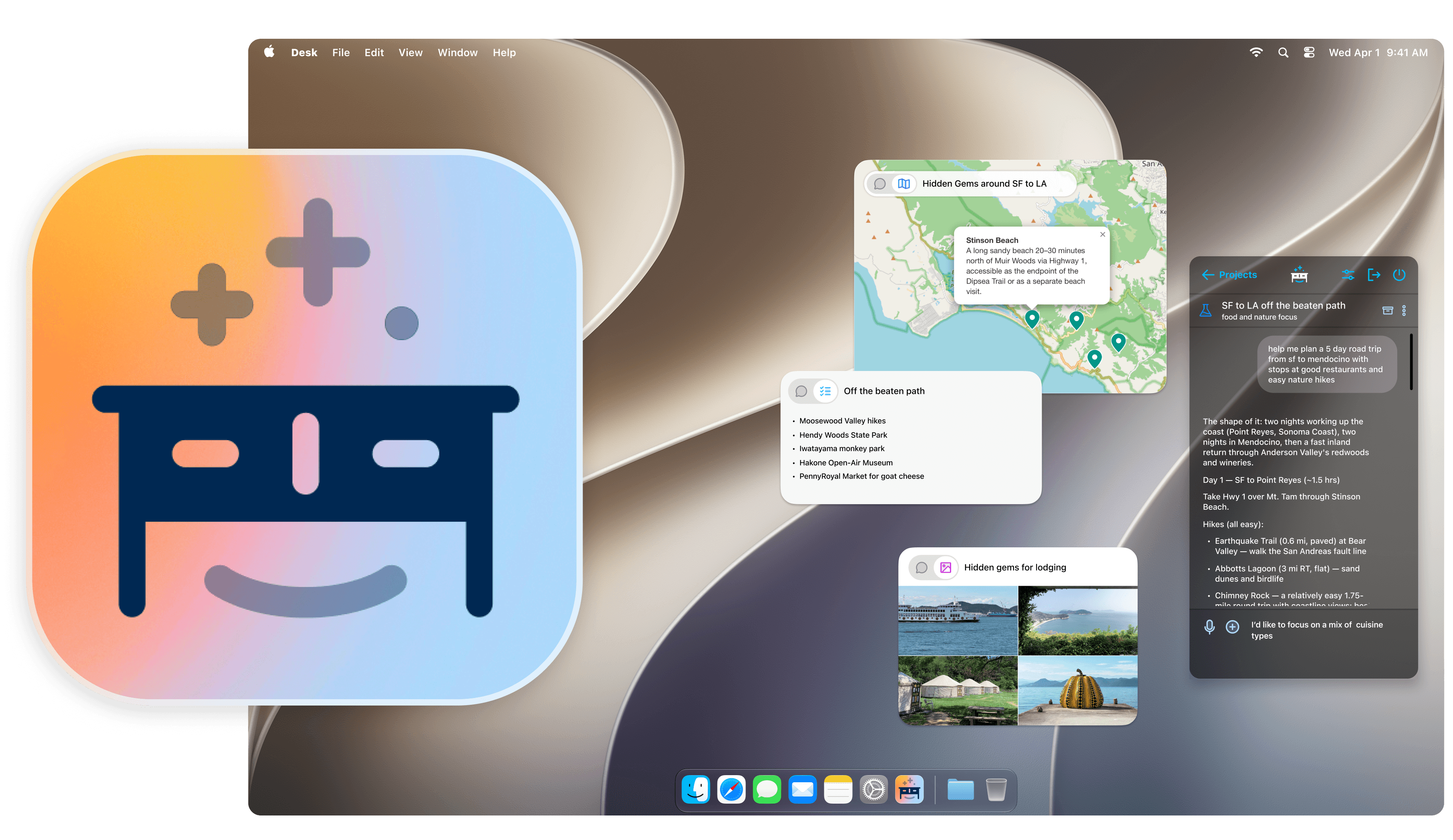
A place for your AI work. Yours to keep.
Chats scroll away. Desk turns them into editable maps, docs, and mini-apps that live on your desktop, and quietly keep themselves up to date. It runs on your own API key, so your conversations stay yours. The workspace is live and free to use.
I built Desk to scratch my own itch. For a long time I've been unhappy with the basics of keeping and organizing what I make with AI — so I designed and built the workspace I wanted, and it grew into a bet on the layer above the chat tab.
The Problem: Chat Is a Terrible Interface for the Value AI Generates
It gets buried in the scrollback.
Chat is a transcript, not a workspace. The itinerary you refined for an hour is 300 messages up, so you re-read, re-prompt, and re-paste it into files that were stale on arrival.
It starts rotting immediately.
An answer is a snapshot of the moment you asked. Prices move, places close, hours shift, and nothing tells you. The better the work, the more it costs when it quietly goes wrong.
My own AI history is a rich corpus of intentions and work, and almost none of it is findable or ready to use. The artifacts I make can't be edited in place, so I spend my time moving documents into other apps, copying and pasting.
Chat is a great place to think — and a terrible place to keep results.
Why Now: Generation Is Working, Keeping Isn't
people use ChatGPT every week. Asking an AI is now a mainstream behavior.
projected AI-assistant market by 2035 — and the workspace layer above it is unclaimed.
The big AI companies own the moment of generation. Frontier labs optimize the answer, inside a chat tab: that is their form factor, their metric, and their roadmap, and it ends when the answer is delivered. Nobody owns the after— where the output lives, how it stays organized, whether it is still true a month later.
A chat app's artifact is a second-class capture of the product. Desk's artifacts are the product.
The Idea: An Agentic Workspace, in Two Engines
Living artifacts
Every card can keep itself current. Background agents re-check it against reality and flag what materially changed, with sources.
Your stuff stays true.
An ambient place
Cards live on your actual desktop — arranged, glanceable, there between sessions.
A place, not an app.
Each side supports the other, and both work on the AI conversations you already have. Together they make a workspace that tends itself.
Shipped: The Workspace Is Already Real
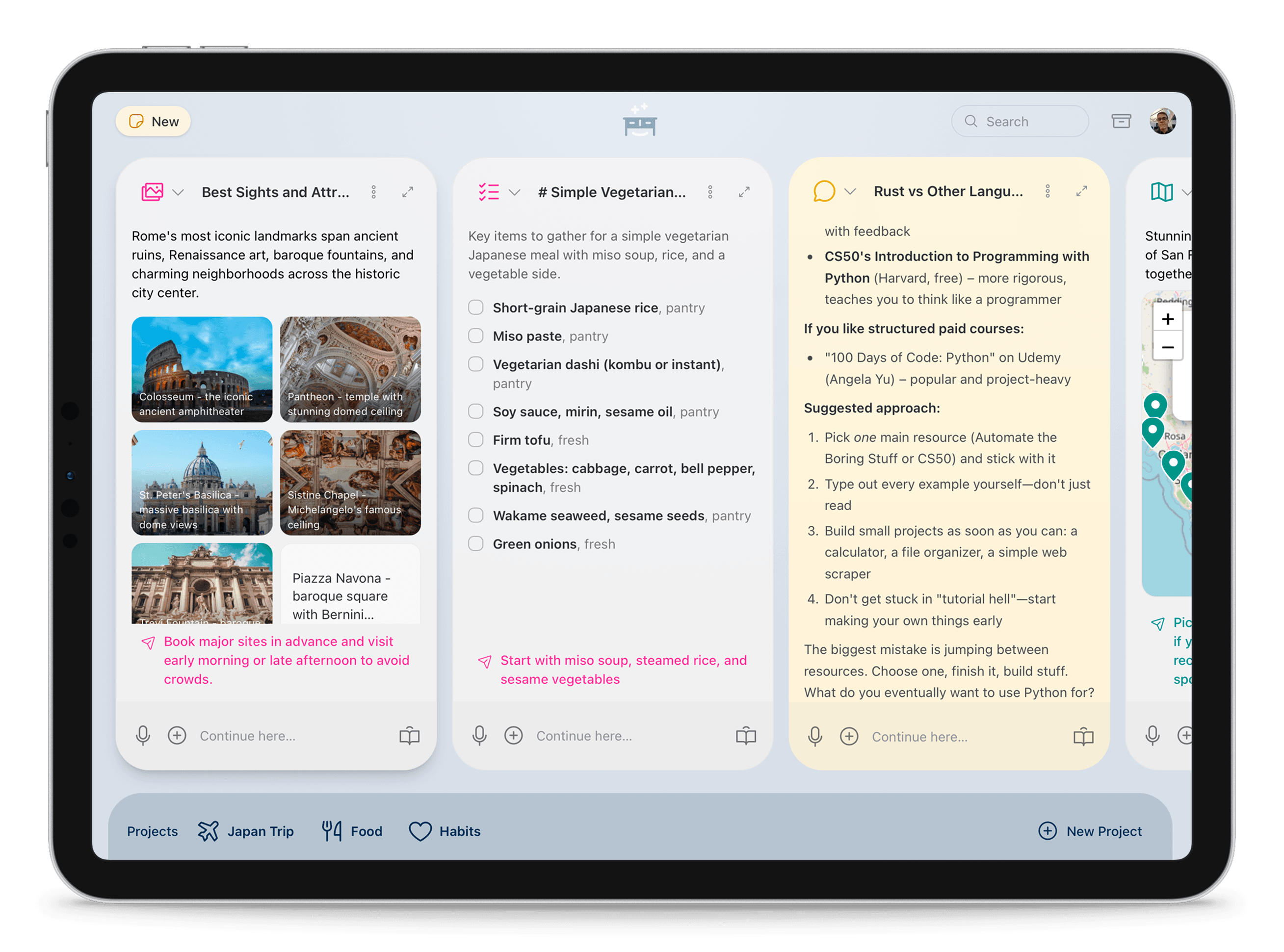
Desk reads what a conversation is aboutand renders it as the right kind of view — automatically — then lets you keep working in that view. Places become a map. A laptop decision becomes a comparison. A budget becomes a simulator you can drag. The underlying content is structured data, so every view is editable, re-renderable, and exportable.
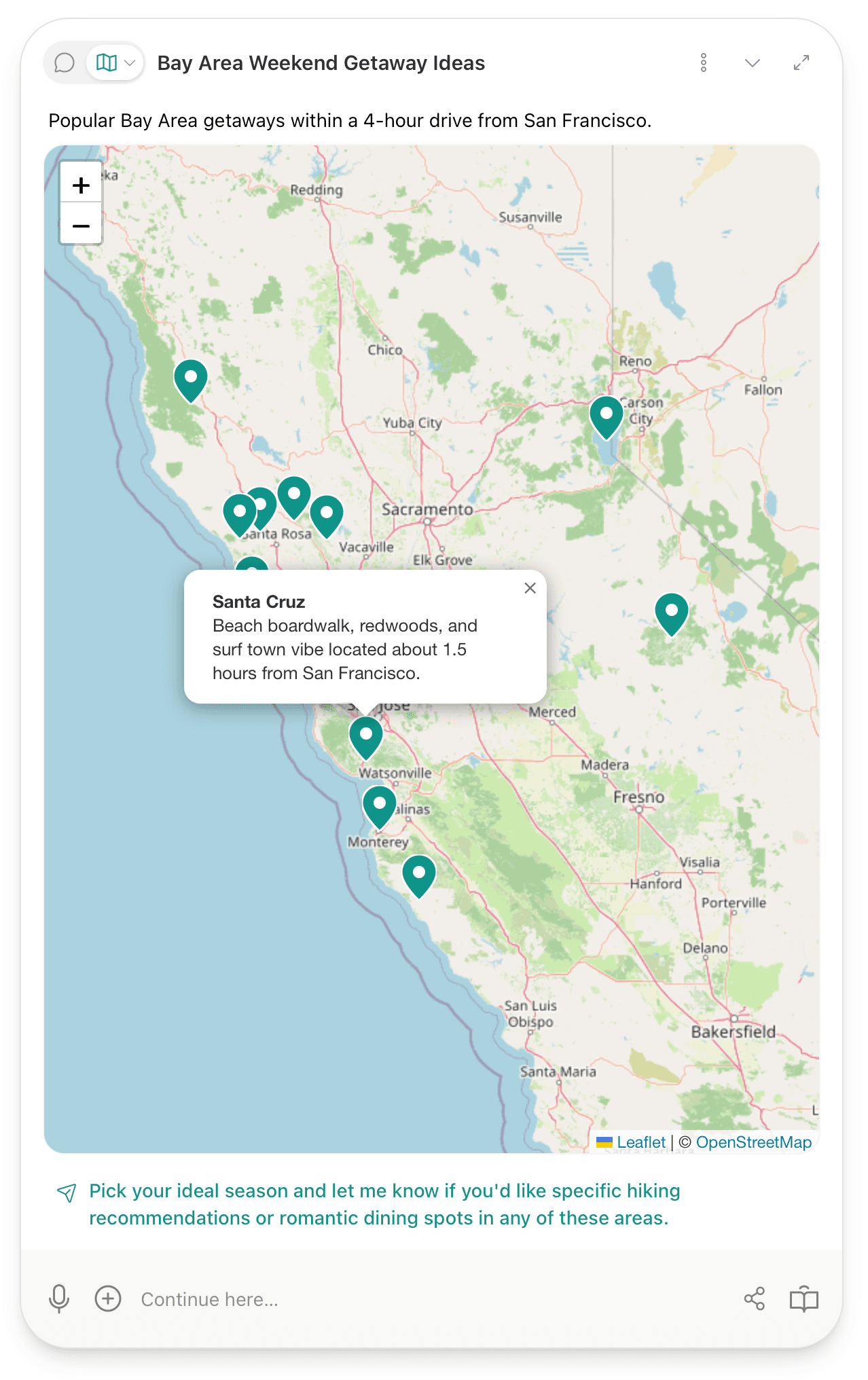
Fifteen views, picked automatically
Chat, Checklist, Map, Calendar, Comparison, Chart, Image Grid, Document, Steps, Recipe, Flashcards, Code, Outline, Translation, and Simulator. Desk auto-selects per conversation and switches with one tap. When no view fits, it designs a custom one.
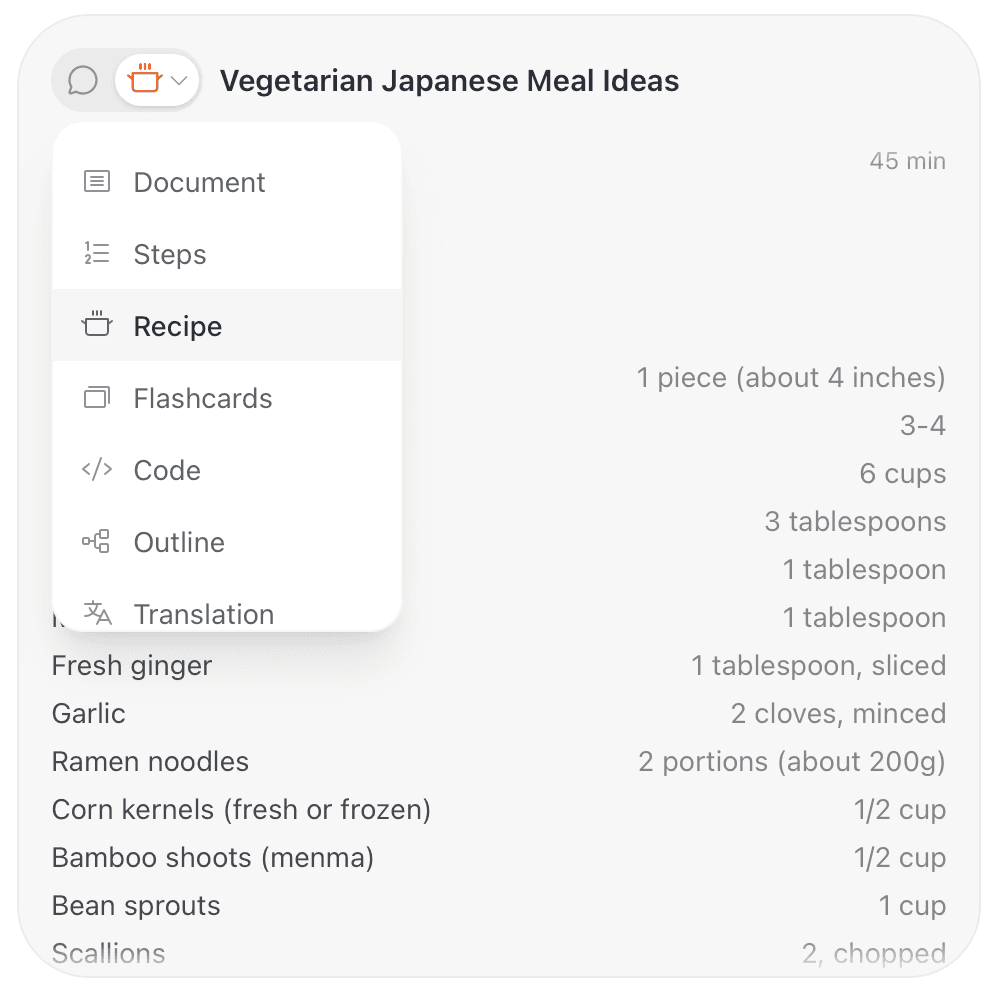
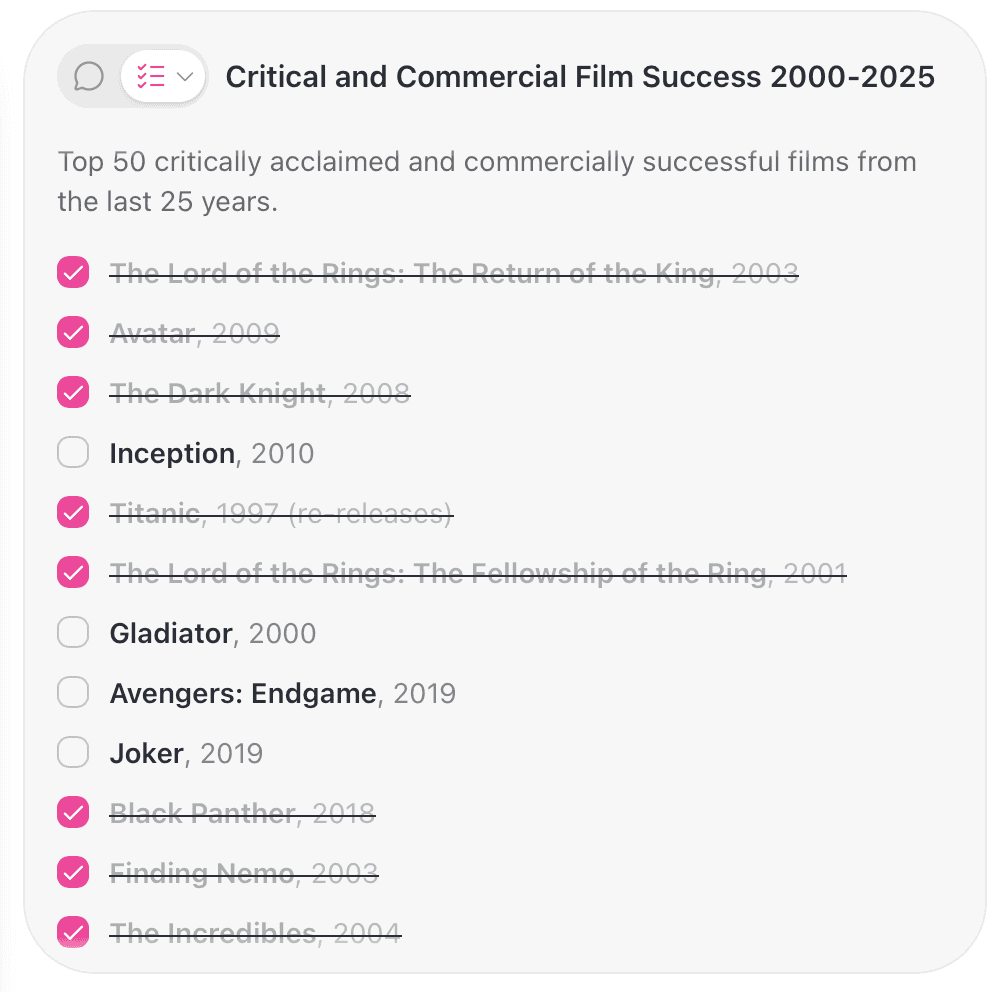
A canvas, not a feed
Cards you resize, arrange, and scan — square, landscape, half-page, full-screen. AI work laid out like a desk, not stacked like a transcript. Each card keeps its own most-useful form, with a mic and a “Continue here” box to keep the conversation going inline.
Two-way artifacts
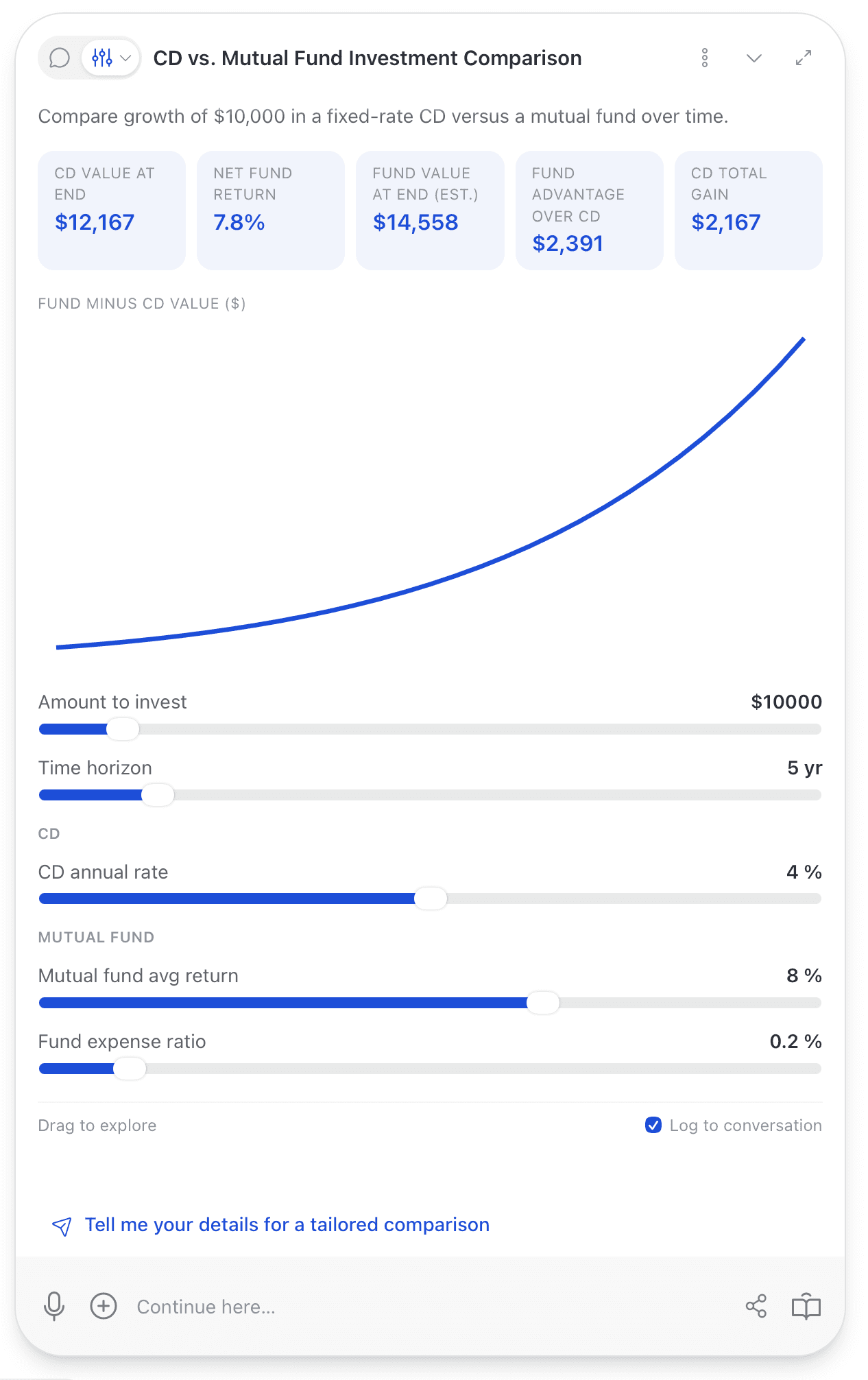
The standout is the Simulator, which builds a what-if model straight from your conversation. Ask “what if rent goes up 8%?” and the numbers animate; drag a slider and a plain-language summary posts back into the thread. The conversation and the artifact are one thing — not a chat that produced a chart, but a chart you can talk to.
Projects that remember
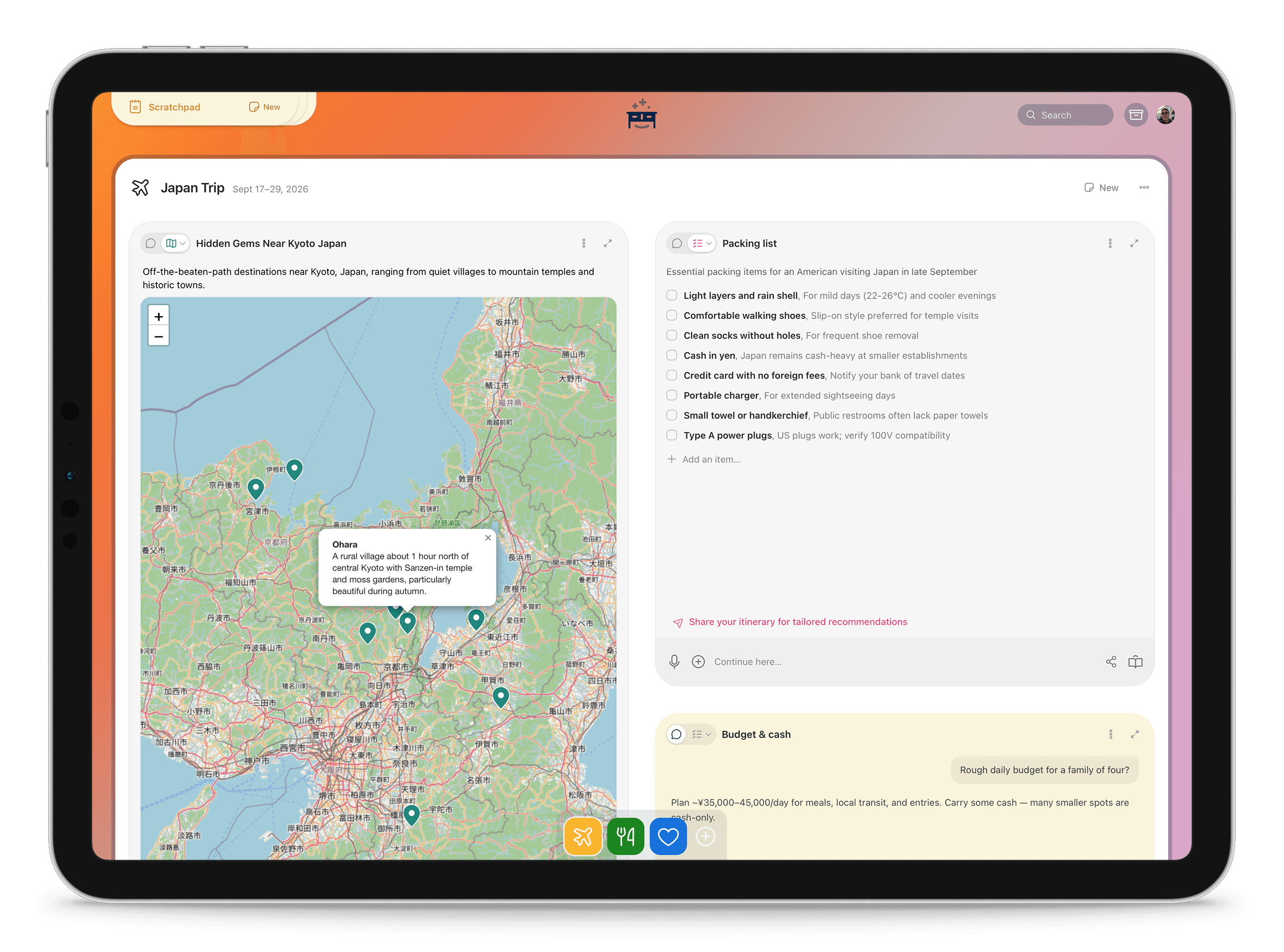
Related conversations group into a project— a trip, a launch, a research thread. A trip is rarely one chat: it's the itinerary, the packing list, the budget, and the map, each in its own format, all under one roof. Notes, preferences, and decisions accumulate across projects, with every claim cited back to its source.
Web search is built in for grounding, files attach for real context, and everything you make is yours: bring your own model key, export any view, archive instead of delete.
Under the Hood: An Engine That Curates, Verifies, and Remembers
Curator
Re-judges the whole project every turn: refreshes stale cards, retires dead ones, and anticipates what you'll need next. A critic gate keeps the desk quiet, and learns from what you dismiss.
Verifier
Every card passes deterministic quality gates before it ships, and a failed render degrades to a simpler view instead of erroring. Quality is a verification problem, not a generation problem.
Memory
A cross-project wiki of what you've established — entities, concepts, preferences — every claim cited to its source. Project #11 starts knowing what #1–10 worked out.
Custom applet builder
When no template fits, Desk designs a custom interactive artifact — a tracker, a Gantt chart — with real data persistence in a hardened sandbox. Not a picture of a tool; the tool.
All four run in production today.
Next · Engine 1: Living Artifacts
Work that stays true. The re-check runs the same generation path that already renders every card, so the build is short and the behavior is familiar.
- 1. Re-check— on a cadence you set, an agent re-runs each card against the live web.
- 2. Diff— new reality vs. your card. Your edits always win; the agent flags, never clobbers.
- 3. Flag— only material changes surface: a closure, a price, a date, each with a source.
- 4. Land— a green dot on the card, a per-project “what changed” feed, a weekly digest.
It watches closures, hours, prices, event dates, and new sources — and you can share or export any artifact at any time, so the most valuable part of the conversation stays yours to own.
Next · Engine 2: The Living Desk on macOS
Native cards you drag, stack, and pin — floating over your work or set into the wallpaper — with a menu-bar companion carrying the what-changed feed. Changes are computed server-side and arrive by push, even while the Mac slept, so the card that moved is simply glowing when you sit down. Cards never steal focus: read at a glance, one click deep-links into the full editor.
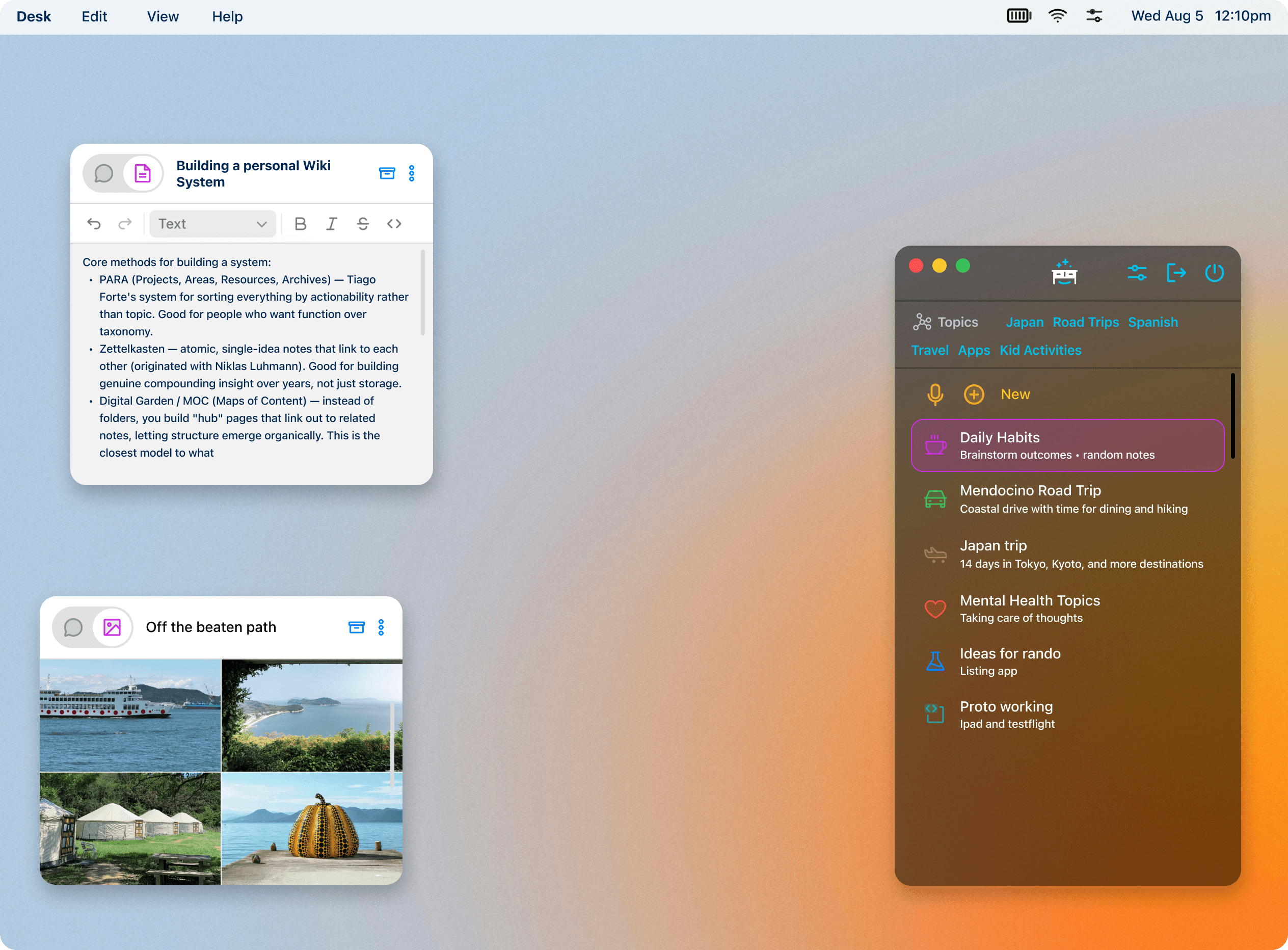
It's scoped, not dreamed: six milestone phases, each independently demoable, reusing the SwiftUI artifact views already built for iOS, shipping as a notarized direct download. iPad and Vision follow — every surface is a client of the same artifacts API.
And Soon: Desk Starts the Project for You
Monday, 9:04 AM, and you haven't opened a chat. Your history suggests an interest in places around LA, but you've never planned the trip. Overnight, Desk drafts a set of cards with some ideas — one click to accept or dismiss, and the ideas improve over time. The workspace stops waiting for a prompt.
Why OpenAI or Anthropic Won't Build This
A form factor labs won't copy
Their product is the chat tab, and every metric they optimize lives inside it. The desktop between sessions is a different product — a messy place they want to stay away from.
Memory that compounds
Every project deepens a private, cited wiki of your interests and decisions. By month six, Desk knows you — in data stores you own and can take anywhere.
The world needs more wrappers
Usability of AI output isn't a frontier-lab priority; they optimize for scale. Curation, verification ladders, self-healing renders, sandboxed artifacts with persistence: already live, already hardened by real failures.
A cost structure that works
BYO-key means near-zero marginal inference cost while we learn. A managed tier captures the upgrade later, at software margins.
The Wedge: Travel First
Travel is the highest-demand vertical, Desk's strongest today, and the clearest “stays true” value: closures, hours, prices, dates. Every trip is a project you glance at for months. Prove living andambient in one vertical, then widen — research, purchases, home projects, study. The engine generalizes; only the kinds of change differ.
Free to Start, Paid to Go Deep
Bring your own key
The full workspace on your own API key, privacy by default. Our marginal inference cost is ~zero. This is today's beta.
$15/mo
Managed inference, living updates and the weekly digest, the macOS Living Desk, sync, sharing, and version history.
Later
Shared projects and desks, a shared cited team wiki, admin and billing — the same engine pointed at a team's work.
The engine that tends your work is the thing worth paying for.
The Next Six Months
- Now — shipped. The web workspace: 15 views, projects, curator, verifier, and cross-project memory, in beta on BYO keys.
- Weeks 1–2 — living engine. Change detection on web for the travel wedge. Exit criterion: a two-week-old trip shows what moved, with sources.
- Weeks 3–10 — macOS desk. Menu-bar agent, desktop cards, glow-on-change, notarized DMG to beta users. Exit criterion: a closure lands as a glowing card, with no chat opened.
- Then — widen. Generalize the verticals, launch the managed Pro tier, add iPad and Vision surfaces.
The sequence de-risks itself: if “stays true” doesn't land on the web, we don't pay for the native shell — and it ships value either way.
My Role
Desk is a solo project — product strategy, UX, visual design, and full-stack implementation, all mine. It started as a tool I wanted for myself and turned into a bet on a different default for AI software: conversations should become structured, output should be durable and reformattable, and the workspace should belong to the person using it.
Own the work your AI collaborations create — try it at deskapp.me.